For Designers, by a Designer.
Ship what
you design.
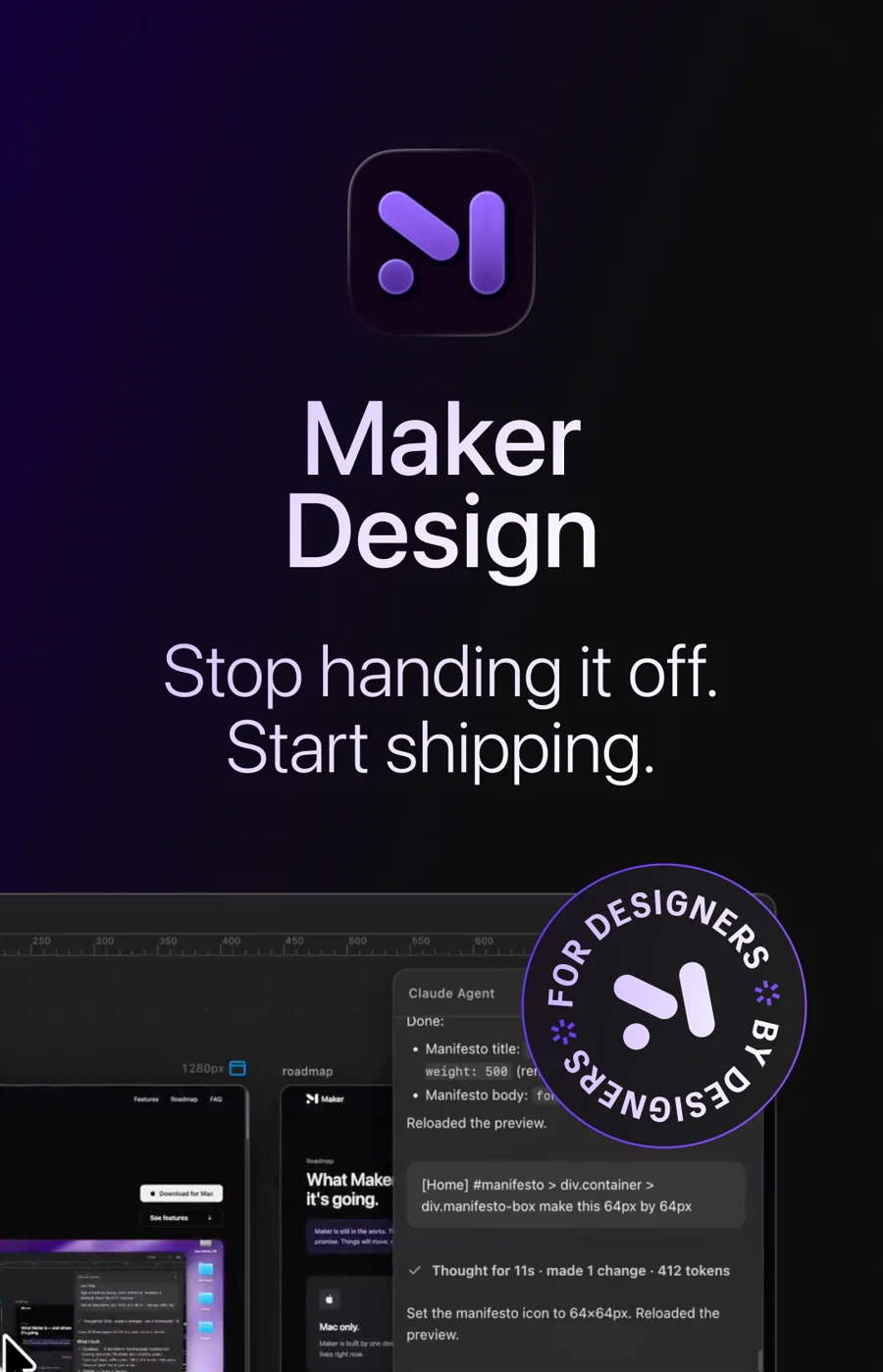
Maker is a macOS app that lets you build real websites in real code.
The wait
For years, I could design it but never ship it.
For years, I designed products, and I still do. I paid attention to every detail, took hours deciding on the perfect typeface, and made designs with the utmost care. Then I handed it off to a developer, another human, who may not be as invested in the product as I am. And my design would get compromised. Then came the back and forth: "Hey, this is off, the weight should be 300, not 500," or "No, that's not what I meant. I wanted to decrease the font weight, not the font size."
The gap
The bottleneck was never the work. It was the handoff.
Once I saw the discrepancies, I could not unsee them. The distance between my design and the actual product was more than I was ever comfortable with. The problem wasn't just skill or effort or care, but also translation, priorities, and many other things. So I made a decision: why should I depend on a developer?
Design
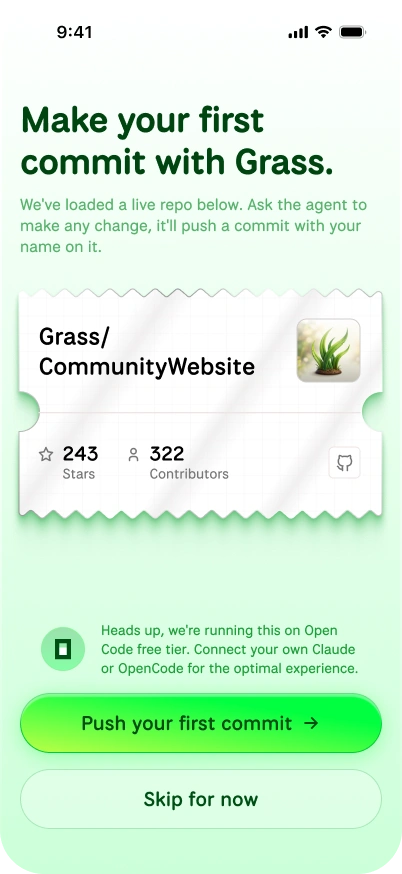
Code
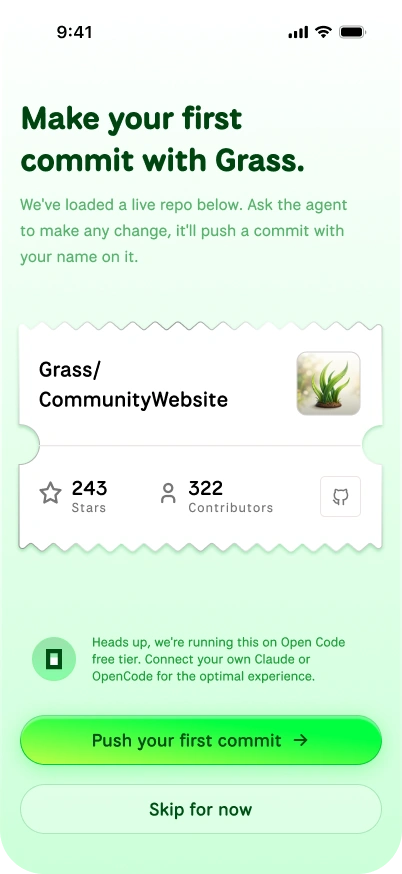
Same screen, after the handoff. The card lost its diagonal sheen, the ticket notches grew larger and rounder, the icon strokes thickened, and looser padding and type sizing pushed the copy onto different lines.
Maker
So I built the tool I'd been waiting for.
AI came in with a bang and shook the whole industry. Suddenly I didn't have to depend on a developer. I could work directly on websites, apps, and more. If I don't like how a website looks, I change it myself. If there's a limitation, I work on solving it, not someone else. I used to work with Claude Code in the terminal, thanks to Anil Dukkipatty and Sahil K for guiding me on how to, and I quickly got the hang of it.
I gave a talk on this and showed people my workflow, and they got excited. But a lot of designers were intimidated by the terminal and its lack of features. So I asked Claude if I could build an app to solve this, and lo and behold, it suggested building an Electron app. Since I already work with websites, it wouldn't be a steep learning curve. And it wasn't.
Maker writes actual code, not like Figma where it's just a drawing, or Framer where I'm limited to whatever other developers make and whatever the tool allows. Maker is powered by Claude, so it has all of Claude's capabilities. You describe what you want in plain words, and the actual code gets written. No terminal, no setup, no handoff. Not a website builder with walls. The real thing, in real code, built by the person who designed it.
Infinite canvas
A bird's-eye view of the whole site.
When you work with Claude on localhost, you lose the bird's-eye view of the whole website that Figma used to give us. That view is essential; it's how designers spot discrepancies and move around pages easily. Maker brings it back by spawning multiple browsers on an infinite canvas.
Responsive
Desktop and mobile, side by side.
Just like working with Auto Layout in Figma, where you make a website responsive right on the artboard, in Maker you can adjust the panel and see the mobile version right there. You can also copy a panel and paste it, so you can view the desktop and mobile versions at the same time.
Point to edit
You point at what you want and say it plainly.
Click any element and just say "change this." No describing where the button lives or what you named the section. Maker already knows what you're pointing at. It's the closest thing to editing with your hands.
Guardrails
Claude stays in bounds.
Maker has built-in guardrails so Claude doesn't go crazy and delete your important files. Maker makes sure Claude only reads the outer files, and to perform any action like editing or deleting a file outside the website folder, Maker stops it, keeping Claude sane.
Context window
Always aware of your tokens.
It also has a context window meter, so you can be sure you're not overspending tokens, and it regularly compacts your conversation with Claude.
Built with love
I built it in a few days, and couldn't sleep.
I talked to multiple fellow designers, and to other designers using AI to ship products, about their pain points, and did what I always do: study them and come up with a solution. Then I built Maker in a few days, with sleepless nights, because I was so excited.
What this proves
No-code had a ceiling. The browser doesn't.
This isn't just my project. It's a marker of what just changed. Designers can build real, coded websites now, without a developer and without a no-code tool deciding what's possible. No more living inside Framer's or Webflow's plugins and templates. The only ceiling left is the browser itself, and the animations, the interactions, the small details that never survived a template are finally right. The floor moved. This is where it moved to.
Version one
And it's only the beginning.
Maker is version one, the least it will ever do. As these models get cheaper, this stops being something a few people can afford and becomes something any designer can just reach for. That's the part I'm building toward.
Try Maker →Overview
Anil Dukkipatty
Raunaq Vaishoha
Sahil Kathpal
Claude
Scope of work